

Explore More…
FAQs
(Frequently asked Questions)
We’re here to help make things easier for you and your family. This FAQ page is organized by topic, including the We Financial Prepaid Mastercard®, the WeGo® Mobile App and Mobile Wallet, and CDIC. Simply select the area you have questions about and you’ll be taken to the right answers. If you don’t see what you’re looking for, please contact us and we’ll gladly help as best we can.
Mobile Wallet
Can I add my card to my mobile wallet?
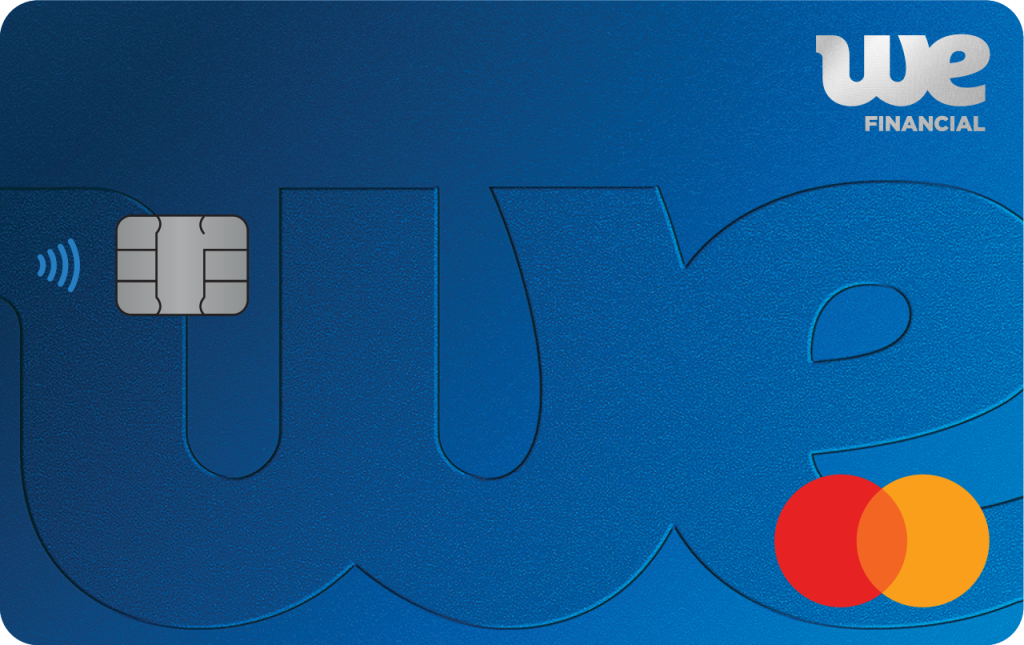
Yes! You can add your We Financial Prepaid Mastercard to your mobile wallet such as Apple, Samsung or Google Pay. This service is subject to the acceptance of People Trust Company Terms of Use for Mobile Payment Services as you add your card to the wallet.
Do I need to update the card on my mobile wallet when I get a new card?
Yes! Once you have activated your card through the WeGo app, then you will add your new card to your mobile wallet. The old card will become deactivated.
What is a step-up authentication?
When adding your card to your mobile wallet, you are required to have a step-up authentication by entering a One Time Passcode or calling the call centre. The One Time Passcode will be sent to your email address on file. Simply enter the code before it expires. If you do not have an email address on file, you can call the call centre phone number provided to you at the time of authentication.
I can’t seem to download the mobile app or add my card to my mobile wallet?
If you have any further question even after reading through the FAQ, please contact our We Financial Prepaid Mastercard cardholder service line at 1-855-876-1976.
What if I get a new or replacement plastic card?
For any new or replacement cards, you will need to:
Go through the initial set up of Apple Pay and Samsung Pay again.
Remove the old card and add the new one to Google Pay.
Why am I not receiving push notifications?
Verify that your device settings are configured to accept all notifications from the WeGo app.
How do I enable my We Financial Prepaid Mastercard card with Apple Pay, Samsung Pay and Google Pay?
Getting started with Apple Pay, Samsung Pay and Google Pay is quick and easy. To add a We Financial Prepaid Mastercard card to the mobile wallet, follow the prompts on your device to complete the enablement process. However, the steps below are generally the process required to complete:
- Open the Wallet App on your mobile device or go to the Link Card icon on your WeGo Mobile App.
- Tap the plus sign “+” at the top right-side to add a new card for Apple Pay and Samsung Pay. Add your card within Cards tab for Google Pay.
- Add your We Financial Prepaid Mastercard by entering the card information (your phone may prompt you to capture the image of the card to add the card information automatically).
- If you are asked to verify your card, select a verification method from the list and follow the prompts.
In some cases you may need to call us to complete your enrollment. If you are prompted to contact We Financial, call the number provided on your device to verify your card and complete your enrollment in Apple Pay.
Can I add my We Financial Prepaid Mastercard to multiple devices?
Yes. You can add your We Financial Prepaid Mastercard to multiple mobile wallets and/or wallet-enabled devices.
Where can I use my mobile wallet?
You may use your mobile wallet at many different merchants. Mobile wallets are also accepted in many apps and on participating websites with your phone, computer, or tablet, depending on the compatibility of the devices.
How do I make a purchase with my We Financial Prepaid Mastercard in a mobile wallet?
The process for completing transactions using a mobile wallet varies depending on the wallet enabled-device you are using, and the specific wallet used. The general process includes these steps:
To make a purchase in-store at a terminal that accepts your mobile wallet for payment, hold your device near the terminal. You will be required to authenticate yourself with your fingerprint, facial recognition, a passcode or PIN, depending on your device. Once authenticated, the transaction will take just a second to process and will notify you when it has been completed (notification may be through a noise, a graphic on the screen, device vibration, etc).
When making a purchase in an app that offers mobile wallets as a payment option, locate the mobile wallet icon at checkout. After clicking the icon, you will have the option to select a different card, shipping address and contact information. The total charge amount will also be displayed. If all the information looks correct and you want to finalize the transaction, complete the transaction by authenticating yourself with your fingerprint, facial recognition, password or PIN, depending on how authentication is set up on your device.
Once I add my We Financial Prepaid Mastercard to a mobile wallet, can I still use the physical card for purchases?
Yes. If you add your We Financial Prepaid Mastercard card to a mobile wallet, your physical card can still be used like it is today. You must take all reasonable steps to protect the card (and PIN, if applicable) against loss, theft, or unauthorized use.
I changed phones. Do I need to re-register my We Financial Prepaid Mastercard in my mobile wallet?
Yes. If you change your device, add your card to your mobile wallet following the same steps as if you were setting it up for the first time.
If my card is reported lost or stolen, can I still use my mobile wallet to make purchases using my We Financial Prepaid Mastercard?
No. If your We Financial Prepaid Mastercard is cancelled, it cannot be used to make purchases within your mobile wallet. Once you receive your replacement card, add your new card to your mobile wallet following the same steps as if you were setting it up for the first time.
If I lose my device, can I still use my physical We Financial Prepaid Mastercard for purchases?
In the event of a lost device, you may want to contact your service provider to suspend your service for that device. You can still make payments using your physical We Financial Prepaid Mastercard. If you would like to cancel your card and order a replacement card, please contact us at 1-855-876-1976.
This card is issued by Peoples Trust Company under licence from Mastercard International Incorporated. Mastercard is a registered trademark, and the circles design is a trademark of Mastercard International Incorporated.
Funds loaded onto the card are held by the issuer Peoples Trust Company, a member institution of the CDIC, and are eligible for CDIC coverage. We Financial is not a CDIC member institution. Funds loaded onto the card are combined with eligible deposits held under Peoples Trust Company for up to $100,000 of deposit protection, per insured category, per depositor. For further information about CDIC deposit insurance, please consult CDIC’s website cdic.ca.
Interac e-Transfer®: Trademark of Interac® Corp. used under licence. Apple, the Apple logo, Apple Pay, Touch ID, Face ID, iPad, Apple Watch, and iPhone are trademarks of Apple Inc., registered in the U.S. and other countries. Google Pay is a trademark of Google LLC. Samsung Pay is a registered trademark of Samsung Electronics Co. Ltd.
We Financial® and WeGo® are trademarks of The North West Company LP.